Showing posts with label scripting. Show all posts

Tuesday, June 19, 2007

Linji Haven Public Commons

There's been some more progress with the public spaces of Linji Haven. In addition to some better paths connecting all the stores, Linji now has a Public Commons, Linji (103, 99, 43), complete with a nice koi pond, courtesy of Sierra Mills (which, incidentally, she sells in her store, Simply Sierra's, in Linji).


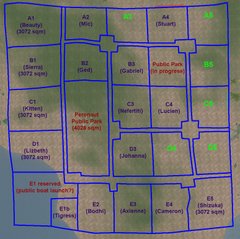
Linji Haven has become quite the little commercial center, with a good number of really creative people. Here's a picture of the Linji Haven directory in the Commons.


Some residents haven't given me store logos yet, and some stores are still in progress, so not pictured are:
  • Muse jewelry (Caliah Lyon)
  • Image Health & Wellness (ImagineIt Lane)
  • Taffy Apples (Taffy Allandale)
  • D-Skin (DynamiteTanaka Payne)
  • LUSH studio (Scarlet Singer)

Since getting LinkRez out, I've had time to catch up on some small projects and other things that have been languishing on my To Do list. One was to take the public signboard that estate manager Sierra Mills created, and script the directory to be more useful. I wrote an "object giver" script and combined it with the public WarpPos() teleportation hack, and loaded up each of the shop logos in the directory.

If you click on a logo, you can:
  • "Get LM" (replaces "Touch") to have it give you a landmark to the store
    • actually, it'll give you ALL notes, objects, and landmarks that are loaded in the prim

  • "Teleport" (replaces "Sit") to have you instantaneously teleport to the landmark
    • I plan to update the script, so that if there are multiple LM's in the logo prim, it'll pop up a Dialog window and let you choose which location you'd like to teleport to
It'd be silly, but I could also script the signboard to randomize, or keep alphabetized, the various store logos.

Wednesday, June 6, 2007

A real-time demo kiosk for LinkRez


Getting very close to a release! One thing I wanted to do before releasing LinkRez was to have a display model that people could click on to actually see the tool in action, in real-time.

It took me a few days, but I wrote a little dialog-driven "control" script, to allow users to choose one of nine or so necklace programs for the LinkRez Demo to run, to generate necklace chains. Please go on over to Script Thingies, Linji (151, 230, 67), and try it out!

One note though -- because it is actually DOING all the calculations to create the necklaces (not just rezzing previously generated necklaces), while running, it's probably inflicting some serious load onto the Sim. Because of that, I prevent it from rezzing a second necklace until the first one (they're temp-on-rez) has disappeared. So, it could take from 30 seconds to a minute, before you can try out a second necklace.


Lastly, I've created a new group -- "Script Thingies." Because we're limited to a maximum of 25 groups, it doesn't make sense to create a new group for each product. Instead, I plan to make all scripting product announcements to this new group. If you're a member of the LoopRez Users group, please feel free to quit that group, and join Script Thingies instead.

Sunday, May 27, 2007

LinkRez precision improvement and limits

Here are some pictures showing the improvements with yesterday's re-writes. "Normal" sized necklace links are rather forgiving; shifting a fraction of a millimeter just doesn't really show that much.

To test the precision of LinkRez, I instead tried using a link that is ~4.5 mm long x ~0.25 mm wide. (Just think about that: 0.25 mm...) I then rezzed two necklaces with identical settings, the one on the left with the previous version of LinkRez, and the one on the right with the re-written version. (Click on the pictures to see larger versions.)


As you can see, from a "normal" perspective and distance, there isn't that much of a difference between the two. Looks pretty good, right? But, if you zoom in a bit more:


… you can definitely see that the necklace on the left has some rotational errors. These errors were due to some bad math on my part, in the transition from the rotation from a "front" to a "back" half of the necklace, which the new version does properly.

These errors don't even show up with a "normal" necklace link, because shifting a large 10 mm wide plywood oval by a fraction of a mm just doesn't show up.

Here's another picture, which includes one selected link (~4.5 mm by ~0.25 mm):


You can see that the rotations now are accurate to sub-millimeter distances (probably ~0.1 mm or better). And, you can see with the selected link, how far off the "center" position is, which would generally make this sort of prim a real pain to position and rotate.

The accuracy and precision levels are now probably at the point that simply working in a skybox at ~600 meters might have some floating point rounding precision errors, compared to working with the necklace at "sub-sea level."

In second life, floating point numbers only have ~7 decimal digits of precision. So, because 0.1 mm is 0.0001 meters:
  • 600 and 600.0001 meters, versus
  • 0 and 0.0001 meters
…notice that 600.0001 already uses up all 7 significant digits, whereas 0.0001 uses only 4 significant digits. So, I think LinkRez has just about reached the limits of allowable precision :)

Saturday, May 26, 2007

LinkRez algorithm re-write

Oh the pain of being a perfectionist.

The current link placement algorithm LinkRez uses places the centers of links precisely on the desired chain link path. However, with large links on highly "curved" parts of necklaces (generally, the very front, or very back), the front and back ends of the link can be slightly misaligned with preceeding and following links.

I realized that if I completely re-worked the fundamental link placing algorithm, to instead place the front and back ends of each link precisely, and permitting the center of the link to lie inside the ideal necklace chain path, these gaps should be eliminated, or at least reduced. I think more people would prefer gap elimination over adherence of theoretical link centers to an arbitrary mathematical path construct of my own design. At least I hope so, considering the rather large effort it's going to take to re-write it.

Worse yet, the main LinkRez script is now getting rather large. In the limited 16 kilobytes of memory available to a script, I have less than 800 bytes of free memory left. Because of the large number of interdependent calculations, there really isn't a good way to "split" the functions across multiple scripts, so I'm going to have to pore through the script, looking for minor memory inefficiencies to improve.

I wonder if it's all worth the effort.


Edited to add: oh my, a MAJOR re-write only introduced a few fixable problems, and was actually much less painful than I thought it'd be (maybe I'm actually getting better at this!). The restructured script:
  • improved precision of link placement, for fewer gaps, especially with bigger links
  • fixed a glitch in the transition from "front half" to "back half" of the necklace
  • simplified the algorithm logic
  • freed up ~700 bytes of memory, almost doubling the remaining memory
Woot!

Friday, May 25, 2007

Silliness

What do you get, when you combine:

You get a sort of Frankenstein combination of Kindergarten project, spray-painted plywood, 60's hippie flower-power, smoothly color gradated, link-alternating necklace.


The necklace links that LinkRez creates are generally NOT scripted (unlike LoopRez skirt panels), so there's not really very much you can "do" to the necklace links. But, when a script rezzes an object, it can pass a single integer of information to it.

Integers in LSL range from minus to plus 2 billion or so. So, I figured that it should be easy enough to pass "necklace position information" encoded in that integer, and then have a single temporary script in the necklace link decode that position information, transform it into a color vector, set the link color, and then delete itself.

A lot less gaudy might have been a single hue of color, ranging from lighter to darker, but I wanted maximum ridiculousness.

Practically, however, this doesn't really serve too much purpose, as the script would HAVE to be tweaked for each and every different necklace. But, it was silly, it was geeky, it was gaudy, and it was possible, so I had to do it.

Sunday, May 6, 2007

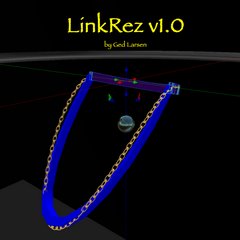
Preview: LinkRez, a necklace chain generator


(Custom-fit, plywood necklaces -- it's the new thing! This is done with alternating links, +/- 20 degrees)


(early path + orientation test, with an unsightly "break" between the front and back of the necklace, now corrected)

It's been a very long time since I've worked seriously on script-assisted necklace generating, although I did post a list of musings, way back in January, about the challenges a decent one would face. Necklace generating was actually something I thought about, back in November when I first started in SL, and LoopRez was actually a spin-off, a much "easier" project.

Johanna Hyacinth has done great work as well, with necklace generating, and it was partly from this shared interest that we met, long ago. Her earliest blog posts talk about the challenges, very similar to my list of musings. We chatted recently, and it seemed that unlike "other individuals," she was perfectly fine with my again taking up the challenge.

I think I'm making decent progress, and thought I'd share some of the initial results. There is a LOT of work to be done yet, but I'm pretty excited about how it's turning out.

First off -- this really is NOT a "Necklace Generator." I think the real challenge in creating beautiful jewelry is the skill of manipulating tiny prims into ornate and intricate centerpieces. However, I suspect a lot of the tedium in making a nicely fitted necklace has to do with positioning either simple or intricate "links" into a chain that fits about an Avatars neck, shoulders, and torso.

So, LinkRez will instead be a tool to assist in the tedious process of placing chain "links" with proper path and orientation, about an avatar's neck, and do it with maximal configurability. It's definitely a seriously difficult challenge, which is why, I suspect, there aren't more such aids available now. The amount of flexibility I plan to build into LinkRez makes me suspect that it will be a rather complex "power user" tool -- one that will require quite a bit of SL building experience (edit linked parts, precision placement and rotation of micro-prims, notecard editing).

Here's what I've (mostly) accomplished so far, and what more I hope to do:
  • highly configurable "shape" of the path
    • width
    • front drop
    • back drop
    • "sigmoidicity" of the front drop; i.e., how rapidly the "drop" occurs
    • should allow nearly perfect placement, customized to an individual avatar's shape, with only a minute or so of tweaking

  • allow for a front "round" vs. pointed "pendant" shape

  • flexibility in link orientation / rotation
    • "flat" against skin surface
    • "incrementing" angle, adding a definable rotation with each successive link; e.g., a progressive "chain link"
    • "alternating" angle, where each successive link alternatives by plus or minus a definable rotation
    • "random"; e.g., round beads on a string, which can rotate freely and randomly

  • allow for "links" that are multi-prim linked objects
Challenges in progress:
  • allow for "links" that are made up of tortured prims (which sometimes have very funky center points and rotations); PARTIALLY SOLVED, WOOT! (see the linked chains)

  • use of multiple different link types within a chain, each with a different size

  • notecard driven chain link program, allowing use of:
    • a single "link" type
    • a user-defined sequence of links
    • repeating "sets" of links; i.e., [A-B-C]-[A-B-C]-[A-B-C], etc.
    • allowing changing link orientation shapes throughout the necklace; i.e. [flat: A-B-C]-random:D-D-[flat: A-B-C]

(the "sizing aids" are visible here, as a dark blue ellipse edge on the chest, with another one not visible in back, as well as the transparent partial disc)


(this is my first success at using tortured prims, with position and rotation offset corrections required; it's also an example of "alternating" link rotation, alternating "+30" and "-30" degrees from the orientation that would be "flat")


The following are examples of shaping and configuration parameters:

Two views of varying "sigma" bendiness, for necklace chains that are otherwise the SAME size. Farthest left is "planar" (flat), and the subsequent ones come "forward" more, before diving down in front.


Four different link types. From left to right: "flat," "increment," "alternating," and "random"


Pendants: increasing "pointiness" for chains that will have a pendant hanging in front


I'm really rather excited by the progress, but there's a LOT more to do, before LinkRez is ready for release though.

Wednesday, March 21, 2007

heat map, code snippet

It's been a long time since I've posted a little code snippet that might be of use to people. (OK, not many people.) But, I wrote a function to simulate a "heat map", to map a number to a color, depending on where it falls in a range.

As mentioned previously, one way to generate a rainbow progression of colors is described here:


What I wanted to do was to write a function so that "big" numbers would yield a red color, which would then progress through yellow, then green, to light blue, to dark blue. In other words, 4 of the 6 segments in the above progression.

The following function "heatMap()" takes 3 input variables: map, min, and max. "Map" is the number you want to heat map. If it's greater than or equal to "max", the color is returned as red. From "max" to "min", the colors progress through yellow, green, light blue, and dark blue. It's a linear function, and a "map" value exactly in the middle of "min" and "max" maps to pure green. "Map" values lower than min return pure blue. It returns a vector that can be used in color-setting functions in LSL.

I used the heatMap() function for color-coding in my avatar radar HUD, so that avatar target radar blips above you were red, those at the same altitude were green, and those below you were blue, all along a spectrum of colors. I found that the color was enough information, and less cluttered than numbers.

Hope you find the function helpful :)


vector heatMap(float map, float min, float max)
{
// by Ged Larsen
// map a float to 4 of 6 segments of a color progression
//
// -1 to -0.5 <0,0,1> to <0,1,1> dark blue to light blue
// -0.5 to 0 <0,1,1> to <0,1,0> light blue to green
// 0 to 0.5 <0,1,0> to <1,1,0> green to yellow
// 0.5 to 1 <1,1,0> to <1,0,0> yellow to red

float fraction;

if (
map < min) { fraction = -1.0; }
else if (
map > max) { fraction = 1.0; }
else {
fraction = 2.0*map/(max-min)+1.0 - (2.0*max / (max-min)); }

if (
fraction < -0.5 ) { return <0.0, 2*(fraction+1), 1.0>; }
else if (
fraction < 0 ) { return <0.0, 1.0, 1.0 - 2.0*(fraction+0.5)>; }
else if (
fraction < 0.5 ) { return <2.0*fraction, 1.0, 0.0>; }
else { return <
1.0, 1.0 - 2.0*(fraction - 0.5), 0.0>; }
}


Sunday, March 18, 2007

The Illusion of Privacy

Because scripting forces you to understand the "details" of how Second Life works, it sometimes reveals that more is possible than one might previously have thought.

"Privacy" in Second Life is somewhat of an illusion, especially when compared to real life. (Although, privacy in RL is also somewhat illusory as well.)

Most of us know that "talking" in SL can be heard by everybody within ~20 meters or so (and whisper within 10 meters, shout within 100 meters). Most of us also know that even if there are no other avatars within 20 meters, chat still might not be private, if there's a scripted object, a "bug" so to speak, within 20 meters that can "hear" your chat and then either record or relay it (although this is against LL's Terms of Service).

As far as I know, IM's are the only way to communicate privately in SL. There were some forum posts that even suggested that IM's are transmitted to and from the client program encrypted, so even packet sniffers should not easily be able to read chat.

But what about visual privacy? Unlike in RL, with a little facility, SL has camera controls that allow you to look around corners, through walls, etc. By default, this range is limited to about 50 meters, but that's still a lot of freedom. Sensors in SL can detect avatars within 96 meters, so some people think that if there are no other avatars within 96 meters, they have a semblance of "visual privacy."

I learned recently that this, too, is an illusion. It is possible to remove camera distance constraints completely. On quick testing, it seems that you can see anything within the same Sim, regardless of distance. You can also view the terrain / parcel boundaries many Sims away (but apparently not avatars or prims). So, even if there are no avatars within 96 meters, any avatar within the same Sim as you can see anything you are doing.

I think the bottom line is it would be good to assume that privacy (except, as far as we know, private IM's) in SL is purely an illusion.


How did I stumble upon these issues? Well, I've continued to play with my avatar sensor + radar HUD. It evolved because although I love my MystiTool, knowing simply distance to avatars seemed limiting, so I wrote the HUD radar.

But then I thought that only having relative position information was also limiting. If you were trying to find a friend you were following, and had gotten separated, wouldn't it be nice to be able to have a quick glimpse at their surroundings, to try to get oriented?

So, I updated the HUD / AV radar so that if you clicked on an avatar radar "blip", the script would take control of your camera and move it to a few meters from the avatar, pointing at them. Even at this point, the thought about privacy issues made me uncomfortable, so I hard-coded into the script a 5 second maximum "look time". But, this is a purely arbitrary limit.

Of course, I'm always tweaking and experimenting, and trying to see how far I can push something... So, I then learned about movement controls, and looked at some freely available scripts, and found that you could also very easily have the camera respond to your movement controls, to look around. But, I initially hit the 50 meter camera distance limit.

But, then I found that the 50 m limit is also arbitrary, and easily removed it.

Well, now I have an HUD / avatar radar that detects any avatar within 96 meters, allow clicking on a radar blip to move the camera to them, and then freely control the camera at its new position. So much for visual privacy in SL.

I'm sure some people will consider all this essentially public knowledge, but it was a minor revelation to me.

I still want to release my avatar radar HUD, but think it might be best to release it in a crippled form, with only quick-glimpse capability and without camera movement controls. But, it still makes me uncomfortable.

Tuesday, March 13, 2007

LandScanner v1.0

LandScanner v1.0 is an avatar-attached multi-purpose tool performing functions ranging from prim-counting and parcel analysis, to sim-wide land-ownership and terrain evaluation. It is highly configurable and able to provide information across multiple parcels in multiple Sims with minimal user intervention.

LandScanner v1.0 available now at SL Exchange and SL Boutique, and will be available very soon in-world.


Features:
  • for each parcel, LandScanner reports:
    • parcel name, description, and size
    • parcel owner (avatar name and key) and group (key)
    • parcel prim counts
      • total prims by category (owner, group, other, selected, temp on rez)
      • if you own the land parcel, lists number of prims used by avatar name
    • parcel flags (i.e., fly, scripts, landmarks, terraform, damage, create objects, access group, ban list, land pass list, spatialized sound, push restriction)

  • for each Sim, LandScanner reports:
    • all avatars (names and keys) and groups (keys) that own land in that sim
    • maximal and minimal terrain elevations
    • approximate percentage of sim terraformable to water
    • calculate the average "slopiness" of the terrain in the sim, a degree of how un-flat the Sim is
    • region flags (i.e., damage, fixed sun, block terraform, sandbox, collisions, physics, fly, telehub, push restriction)
    • entire lists of sims can be cut and pasted from the Linden Lab "Auctions" page, for convenient teleportation to and analysis of upcoming sims

  • completely flexible configuration, via a notecard, to specify:
    • as many parcels, in as many different sims, as desired
    • whether whole-sim terrain analysis should be performed
    • whether whole-sim land ownership analysis should be performed
    • whether parcel flags and region flags should be displayed

  • output to owner chat, allowing copy / paste from the chat history

How to use the LandScanner:
  • wear the LandScanner as an attachment
  • right-click the LandScanner and choose Edit
    • navigate to the Contents Tab
    • double-click the notecard "scan program" to open it
  • edit the contents of the notecard "scan program" as desired
    • see the Notecard Configuration section and sample notecards below
    • save the notecard
  • close the notecard window and edit window
  • touch the attached LandScanner to start!

Notecard configuration:

  • sample notecards, from very simple to complex, are included below
  • LandScanner starts at the top of the notecard, and works its way down
  • blank lines are ignored
  • all characters after a '/' character in a line are ignored (helpful for comments)

  • SIM~simname, or simname (#,#)... (the format of the LL Auction page)
    • if not currently in the sim "simname", will offer teleport to that sim
    • once arrived, will execute any whole-sim analysis desired

  • PARCEL~x,y~comment
    • will analyze the parcel at the coordinates in the current sim
    • "comment" is an optional comment that will be in the report
    • the report will note if the prim allotment is exceeded
    • if comment ends with "|###", "###" will be taken as a maximal prim count (rather than the LL-assigned max prim count, based on parcel area)

  • TERRAIN~TRUE/FALSE (default FALSE)
    • all subsequent Sims in the notecard program have terrain analysis done if TRUE, or not, if FALSE

  • OWNER~TRUE/FALSE (default FALSE)
    • all subsequent Sims in the notecard program have land owner cataloging done if TRUE, or not, if FALSE

  • FLAG~TRUE/FALSE (default FALSE)
    • all subsequent Sims and Parcels in the notecard program will have Sim and Parcel flags reported if TRUE, or not, if FALSE

  • SCAN~## (default 8 meters)
    • sets the scan distance in whole-sim analysis to "##" meters
    • ## = 4 meters will be a completely accurate but slow scan (all 4,096 4x4 meter possible parcels will be analyzed)
    • ## = 8 meters will be 4x faster

  • DELAY~## (default 7.5 seconds)
    • set the waiting time allowed to return an avatar name from a UUID key to ## seconds
    • set higher for more accuracy or laggy sims

Sample Notecards:

  • Goal: check prim counts in 2 parcels located at <40,50> and <70,90> within the sim "ThisLand". If you own the land and are renting parcels out, this will report prim-usage by avatar, for each parcel.
    SIM~ThisLand
    PARCEL~40,50
    PARCEL~70,90

  • Same as above, but with optional comment and 234 as specified prim limit. Useful if you've allowed a "double-prim allowance" on your parcel.
    SIM~ThisLand
    PARCEL~40,50~comment about a plot|234
    PARCEL~70,90~another comment|234

  • Same as above, but then teleport to the sim AnotherLand, and check another parcel. Great if you are renting out parcels in multiple sims.
    SIM~ThisLand
    PARCEL~40,50~comment about a plot|234
    PARCEL~70,90~another comment|234

    SIM~AnotherLand
    PARCEL~20,60

  • Same as above, but also include parcel flags for the parcels in AnotherLand, and after checking the parcels, check a high-resolution sim-wide owner analysis of the sim GooberVille. Finding all owners of land in GooberVille may facilitate forming a Sim Landowners Group, or identifying people who might wish to buy or sell land within the Sim.
    SIM~ThisLand
    PARCEL~40,50~comment about a plot|234
    PARCEL~70,90~another comment|234

    SIM~AnotherLand
    FLAG~TRUE
    PARCEL~20,60

    OWNER~TRUE
    SCAN~4
    SIM~GooberVille

  • Same as above, but finally, do a lower resolution terrain analysis (without flags or owner lists) of a set of Sims cut and pasted from the Linden Labs Auction page. A very quick way to get a sense of which new Sims may have waterfront potential.
    SIM~ThisLand
    PARCEL~40,50~comment about a plot|234
    PARCEL~70,90~another comment|234

    SIM~AnotherLand
    FLAG~TRUE
    PARCEL~20,60

    OWNER~TRUE
    SCAN~4
    SIM~GooberVille

    OWNER~FALSE
    FLAG~FALSE
    TERRAIN~TRUE
    SCAN~16
    Mills Haven (128,128) Mature 65504m 2h 23m US$2,751.00
    Ottewell (128,128) Mature 65536m 2h 24m US$2,751.00
    Malvern (128,128) Mature 65536m 2h 24m US$2,732.00
    Peacock Park (128,128) PG 60656m 2h 25m US$2,539.00
    Laurier (128,128) Mature 65536m 2h 37m US$2,731.00
    Granville (128,128) PG 60544m 2h 37m US$2,501.00
    Maplegrove (128,128) Mature 60144m 2h 41m US$2,632.00
    Granada (128,128) PG 62944m 2h 41m US$2,601.00

  • As you can see, notecard scanning programs can be as simple or as complex as you want

Tips:
  • recommend being in "fly" mode, at an altitude at least 50 meters above ground
    • "no-script" zones do not apply, when high enough over the ground

  • however, Sims with defined "telehubs" may force you to no-script ground levels, so you might have to manually fly back up
    • if your scanner program seems to stop, make sure you are not in no-script territory

  • inter-sim teleport is not possible via the LSL scripting language without any user intervention, so you will have to click the "Teleport" button when moving between sims

  • how "fine" the sim-wide scan depends on how accurate you want the results to be
    • the minimum size of a parcel is 4 x 4 meters (frequently used for those 16 sq m ad spam lots), so if you want to be sure to detect these, you will want a "SCAN" fineness of 4 meters
      • will catalog EVERY owner of land in the sim
    • scanning every 8 meters will be 4x faster, and will catch every parcel greater than or equal to 8 x 8 meters
      • will catalog almost every owner of land in the sim
    • scanning every 16 meters will be 16x faster than the 4 meter scan
      • good for a quick terrain analysis

  • the "DELAY" time will determine how accurate assignment of owner to an avatar vs. a group will be
    • there is no LSL function at present to determine for sure whether a UUID key belongs to a group
    • there is no way to retrieve the group name via a UUID key
    • instead, LSL forces you to try to find an avatar name linked with a UUID key, and if no response is returned, we assume it was a UUID to a group
    • the "DELAY" time is how many seconds the script will wait for an avatar name to be returned, before giving up and assuming that the UUID is for a group
    • set the "DELAY" time higher for more accuracy, or in laggy sims

  • LSL allows checking of current ground height and terrain slope, but not what the original pre-terraforming levels are
    • therefore, estimates of percent of sim able to be converted to water may be inaccurate
    • for example, imagine an entire sim with an original elevation throughout of 4.1 meters which is then maximally terraformed downwards to an elevation of 0.1 meters; when the LandScanner runs, it will erroneously report that the entire land mass is within terraforming distance of water, although in actuality, none of it will be

  • LSL does NOT support checking to see whether a parcel is for sale, for what price, or allowing automated buying
    • the "Landbots" that you may have heard of use custom-written clients to access SL

  • if Linden Labs updates LSL to allow for any of the above issues to be dealt with, LandScanner will be updated and distributed to all purchasers

Monday, March 5, 2007

Sensors + HUD's: an SL radar

Despite 2+ months of messing with scripting, I've never written a script that used Sensors or tried my hand at HUD's (heads-up display). Yesterday, I decided to finally give it a shot.

I really like my MystiTool HUD, and it has a very helpful feature of showing all avatars within range, and the distance to them. But, it's still a bit of a hassle when you're trying to find someone, because it doesn't give the direction ( although there is a feature to send particles towards a target).

So, here's my first attempt at an avatar radar:


It basically scans within a specified range for all avatars and then displays their position on a radar-like HUD, in a top-down representation. The wearer of the HUD is in the center of the circle. Avatars that are straight ahead are at a 12 o'clock; behind are at 6 o'clock, etc. If the wearer rotates, the positions of all the target "blips" rotate around the HUD.

I thought it worked out pretty well for a first attempt!

There are a bunch of tweaks I'd like to implement:
  • take the text height information out of the blips, and change the blips to squares vs. upward and downward pointing triangles to represent targets that are at the same height, above, or below the user
  • re-scale the HUD. Right now, it's a "linear" scale, just like a normal map. Usually you are most interested in positions of avatars within 20 meters. If they are farther than that, relative position is good enough. So, I'd like most of the HUD area to be used for targets within 20 meters, and then the outermost rim of the HUD to be for all targets from 20 to 96 meters. This should decluster clumping of the avatars, and all the text info.
  • click on a blip to track ONLY that target (reduces sensor lag, and declutters the screen); click again and show all targets again
  • when tracking only a single target, display more information about them (perhaps the llRequestAgentData, but that could be a bit slow)
  • click the HUD to minimize it (get it out of the way), and again to maximize it
  • it'd be easy to add the option to scan for not just avatars, but physical / non-physical objects, scripted objects, etc.
  • add in a nifty submarine "ping-ping-PING" sound, as well as the option for sending griefer missiles at the targets (just kidding!)
It also amuses me when instead of wearing it as an HUD, it can be placed on the ground, and you can watch the little green blips moving around. Can anyone say "Mischief managed!" for a Harry Potter-esque Marauder's Map?

Kind of fun to work on something besides LoopRez for a bit!

Wednesday, February 28, 2007

New LSL commands for setting linked prim parameters

Things that make script geeks happy -- I came across this in the forums:

New LSL Commands in 1.13.4 (posted by Milo Linden)

These seem to have slipped from the release notes, but i know quite a few have been looking forward to these.

Currently on the aditi beta grid.

llSetLinkTexture(integer link_pos, string texture, integer face)
Sets the texture of face for link_pos

llSetLinkPrimitiveParams(integer linknumber, list rules)
Set primitive parameters for linknumber based on rules.

Each with a 0.2 second sleep and rules as per their non link counterpart.

What does it mean? It will make life SO much easier to pass prim parameter information between linked sets. Faster too. And, reduce memory requirements. The SkirtProgrammer should become MUCH easier to extend to modify anything.

It's not slated for release for a few months, but it will be very welcome when it arrives!

Wednesday, February 14, 2007

"Smoke" texture and subtle permissions problems, crud crud crud

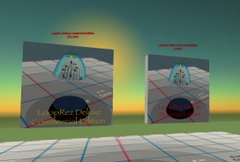
The "Edit Linked Part" feature of the newly released LoopRez Deluxe v0.8 had a critical failure with textures, with the "Smoke" texture being substituted. This is due to the inconsistent and flawed permissions system on SL, and was missed because it was not apparent to me, because I had full permissions on all objects during testing.

I released a version 0.81 fix for both the Commercial and Personal editions.
  • Commercial Edition has full functionality restored.
  • Personal Edition can still do the "Edit Linked Parts" --> "Touch" to update skirt, but textures will not be propagated. All other prim parameters will be sent to the rest of the skirt. I'm sorry that I was not able to keep ALL features identical between Personal and Commercial Editions
  • the Template DropScript can still be used with both versions, to send texture information

Technical explanation: inconsistencies / holes in the SL Permissions system:

Users should be aware that a serious hole in the SL permissions system is that any object, even if "NO COPY / NO TRANSFER" can be physically copied, if they are "MOD"-able.

The way it works is that you write a script that reads off ALL the prim parameter settings of an object and reports them, and then you drop it into the "MOD / NO COPY / NO TRANSFER" object. With the prim parameter settings, you can recreate the object, and you could have another prim "listen" to this report of settings, and duplicate the object.

This has been known a long time, and caused quite an outcry when the technically excellent and ethically conscientious scripter Jeffrey Gomez released an incredibly helpful tool, that as a side-effect, revealed more publicly the already-present and known-to-some short-coming in the SL permissions system. He tried to work with LL to close this permissions hole, but LL was not interested. He tried to release an entire LSL-based system to close the hole, and was attacked by the user community.

So, the hole remains. As you might have guessed, the way the DropScript works is by reporting all prim parameters to the LoopRez object. It could copy objects that are NO COPY / NO TRANSFER, except that I coded it so that it checks permissions and refuses to run, unless FULL perms are present. I have no wish to be attacked the way Jeffrey Gomez was.

There was a time when even textures could be copied in this way; however, LL did patch the permissions system so that texture UUID's can not be read unless full permissions are present, while other prim parameters CAN be read. I was aware of this, and figured that would not be a problem, because I warned LoopRez Deluxe users that they would need full permissions on any template prims.

Here's the subtle problem that I missed: if an object that you have FULL permissions to is linked to an object that you do NOT have full permissions to, you will not even be able to read the texture UUID of the object that you DO have full permissions to.

And, when you try to read a texture UUID that you're not allowed to, it returns the NULL_KEY (all 0's). And when you try to set a texture with NULL_KEY, you get... the "Smoke" texture.

The Commercial Edition fix was easy -- the Little Metal Ball is now full permissions. Early testers of the latest version of LoopRez Deluxe sometimes had a metal ball that was full permissions, sometimes not, which is why the problem seemed unpredictable and intermittent.

The Personal Edition can NOT be fixed, because the panels are all NO TRANSFER (by definition of the Personal Edition.) You can still do the "Edit Linked Parts", but I edited the script so it would not try to read the textures (because it can't). Textures can still be read by the DropScript, because it is dropped onto an unlinked prim which you have full permissions on.

I apologize to all LoopRez Deluxe users who received this product with the "Edit Linked Parts" initially not working.

Sunday, February 11, 2007

Varying skirt pleat lengths (and colors) -- skirt scripting language?

Voila, the ugliest skirt in existence!

One of the things about LoopRez is that it generates skirts where all the panels are essentially the same -- same color, same length -- just varying in position and rotation in space. Varying the length can give a much more interesting effect. One of my favorites is Natalia Zelmanov's formal gown.

When LoopRez was modified to have a "BACKANGLE" setting, where the back panels can have a different amount of flare angle compared to the front of the skirt, I started thinking that it ought to be possible to do more with varying each panel.

I experimented with a rather extreme case of varying textures across the panels, by tiling a texture completely around the skirt. This worked, but had to be hand-coded, adjusting the script for the specific skirt size and texture. This wouldn't be terribly accessible to the general public.

So, what about varying lengths (and colors) across skirt pleats, but making it more usable to the general public? I've been thinking about this for a while now, and even mentioned it a little while back. Well, in the past few days, I wrote my first notecard reader (for product updates, actually), but realized that a notecard might be a way for a skirt designer to tell LoopRez what they wanted in varying lengths.

Here's what I've come up with -- the LoopRez Skirt Programmer
  • there are 360 degrees in a circle: moving counter-clockwise looking down on a skirt,
    • 0 degrees is the front of your skirt;
    • 90 degrees is your left side;
    • 180 degrees is the back;
    • 270 degrees is the right side; and
    • 360 degrees is the front again
  • prim sizes are described (in the Edit Menu and in scripts) as three numbers <x,y,z>, a vector. Generally, the Z size is the length of a skirt, depending on how you rotated your prim
  • I create a notecard, and consisting of some lines that describe the lengths at various "degree positions" on a skirt. Here's an example:
    TYPE~SIZE
    0~<0.2, 0.2, 0.2>
    30~<0.2, 0.2, 0.3>
    60~<0.2, 0.2, 1.0>
    300~<0.2, 0.2, 1.0>
    330~<0.2, 0.2, 0.3>
    360~<0.2, 0.2, 0.2>
    The first line tells my script that you want to vary the size. Notice that X and Y are always 0.2 -- those sizes don't vary. Notice that Z, however, varies from short (0.2 m) at the front of the skirt, a little longer (0.3 m) at 30 degrees, and full length (1.0 m) for all the degree range from 60 degrees to 300 degrees, then symmetrically back to 0.3 and 0.2 meters as you come around the front-right of the skirt again.
This is what it looks like.

IMPORTANT: there's been some confusion about when to use the SkirtProgrammer. Essentially, what you need to do is ALL the things to generate a skirt, and THEN run the /1 PROGRAM command. The Skirt Programmer works on a skirt that has already been rezzed, but NOT yet completed with the /1 DONE command.

Start with a default 30 panel LoopRez skirt:

After dropping the above notecard (named "skirt open front") onto the LoopRez central little Metal Ball, and typing "/1 PROGRAM skirt open front", the panel sizes get adjusted to look like this (no adjustments needed for position or rotation, so it took just a few seconds to go from the first picture to this one):


Well, it turns out that like sizes, colors are also described in SL by 3 value vectors, <RED, GREEN, BLUE>, with values ranging from 0 to 1 for each color. So, it wasn't hard to write the script to vary colors as well. I don't remember exactly what the Notecard contained, but it was probably something like:

TYPE~COLOR
0~<1,0,0>
180~<0,0,0>
360~<1,0,0>
In other words, pure bright red at 0 degrees (the front), varying to no color (black) at 180 degrees (the back), and then back to bright red at 360 degrees (the front) again. Here's how it looks:
Notice that the short panels stick out a bit. Bah... I think that has to do with the flexi settings -- a short panel doesn't have as much "gravity" pulling it down. So, perhaps some small amount of manual tweaking might actually be helpful.

Ever wonder how to generate a rainbow in RGB space? No? Well I did, and I found one way here:
It ends up being a progression of 6 segments, varying the amount of red, green, and blue. So, why not try to write a Skirt Progammer notecard ("skirt rainbow") that varies RGB in this progression? It looked like this (I added in comments for description):
TYPE~COLOR
0~<1,0,0> // pure red
60~<1,1,0> // red + green
120~<0,1,0> // pure green
180~<0,1,1> // green + blue
240~<0,0,1> // pure blue
300~<1,0,1> // red + blue
360~<1,0,0> // back to pure red
There are 6 segments in the progression, so I divided the 360 degrees of a circle, to get 60 degree increments around the skirt. After typing "/1 PROGRAM skirt rainbow", the result makes me think of 60's tie-dye hippiedom:


To adjust 30 panels manually to get a smooth rainbow gradient would have been rather tedious. To run it with the Script Programmer took a few seconds. Fun!

Granted, the skirt is ugly enough to make a real SL fashion designer want to claw their eyes out, but hey, I just make the tools -- it's up to them to make beautiful things with them.

Comments? What do you think?

Friday, February 9, 2007

Automated product updates: one solution

So I mentioned the other day that I was trying to come up with a decent method to deliver product updates. This pipeline is horribly kludgy and not automated, but it's what I've come up with so far.

Issues and solutions
  1. Need to maintain a complete list of purchasers, regardless of whether they've purchased from Sirena Fashions, SL Exchange, or SL Boutique. It would have been easier if I had just scripted a vendor that kept track of all purchasers and their avatar keys, but then it would not have been available on the regular web.

  2. Downloaded the available avatar name / key database from http://www.moopf.com/name2key.php

  3. Wrote a Perl script that took each purchaser's avatar name and searched the 600,000+ entries in the moopf database, and returned the listed key. Amazingly, only one avatar UUID key was missing (it was someone who was created just a few days ago).

  4. Manually found the missing avatar UUID by following the instructions at http://w-hat.com/name2key
    You can also look up keys yourself using the SL client. First, enable the debug menu (ctrl+alt+d), and use it to turn on the Debug Console (ctrl-shift-4, or Client -> Consoles -> Debug Console). Search for the person using Find, and then hit Instant Message. A message will come up in the debug console following the form:

    INFO: LLTalkView::createFloater: target (user key) in (session key)

  5. Copied all the avatar names + keys into a notecard. Here's where my paranoia shows. The databases of names / keys are NOT Linden Lab official. There is no assurance that the key that they list for a name is actually linked to that name. So, I copied all the name + supposed key pairs into a notecard in SL, and...

  6. Wrote a script that read line by line from the notecard, and checked that the name pulled up with a llRequestAgentData on the key actually matched the name I had. They all matched, lol, which shows that my paranoia is groundless and a waste of time. :)

  7. If the key and name match, the script will send the inventory item to the user. Just in case there are people who do NOT want to receive updates, I also coded it so that in the avatar / key list, lines could be flagged as people who didn't want updates.
Phew! So much of this hassle could have been avoided if LL just included a "name to key" function...

Or, since there are minimal sales at SLEx and SLB, a simple solution will be to replace the product in Sirena's with a scripted vendor that records the avatar UUID's, so I plan go write a one-prim vendor soon.

For everyone who asks, "Why the heck are you reinventing the wheel? Other people have written vendors and product updaters," well, this is how I've taught myself how to script. :) Before today, I'd never written a Notecard reader or Agent Info query before. Having done it now, I now understand how it works, and for me, that's fun! (Yeah, weird sense of fun, I know...)
Wednesday, February 7, 2007

any tips on scripting for product update delivery?

I posted this on the official SL Forums this morning, looking for advice:


I was wondering if anyone had any general tips on writing product delivery scripts.

I've released my first product, which contains a few prims and 4 scripts, and already, it's time to send out an update to deal with... "issues" (stomp those bugs! Because updates will occasionally include completely new scripts, I can't simply use llRemoteLoadScriptPin.

So, I think the only option is to use: llGiveInventory

But then, I need a list of all the keys of the users. But, although there's an llKey2Name, there's no llName2Key function, right? Neither the SL transaction history, or SL Boutique, or SL Exchange appears to make available the keys to the users.

What's the best way to keep a list of the keys of all the users?

My guess, and PLEASE correct me if I'm wrong:
- this time, I'll have to manually search each user, and drop the new product on their profile
- the new product will somehow communicate the owner's key to me (what's the best way? email?) I've never been a fan of RL products that "phone home", and this bugs me a little.
- in the future, I'll have a list of keys, and would write a script looping through them all and do an llGiveInventory (what's the best way? reading lines off a notecard?)

Or perhaps, have a notecard with all the avatar names, and then an object in a store the users would need to go to. When they touched the updater object, the avatar's name could be checked off the notecard list, and if present, the updated object could be given to them. Perhaps their avatar KEY could also be recorded at this point, with their permission. This avoids the "product phone home" distastefulness too.

Any thoughts? Thanks in advance.

Tuesday, February 6, 2007

Tiling a texture across many panels

I had some fun playing with texture offsets and writing a script that would send different offsets to each panel of a LoopRez-created object.

For a test, I wanted to run a long, skinny picture across the bottom of a "skirt." I used an image from the web, at the WHTour:Gugong:Nine Dragons Wall scrolling panoramic view. Here's an excerpt, with 4 of the 9 dragons:


To test the script, I created a LoopRez object with maybe 10-12 panels, and tiled the texture across it, yielding this:

It seemed to work, other than some distortion issues, so I told LoopRez to increase it to ~20-24 panels, and ran the texture tiler. So, from the first object to the second object only took a few seconds, with no manual editing of texture offsets. Cool!

And, just because movies are fun, here's a video of the object rotating around, so you can see more of the dragons, and how the textures are split across the flexi panels when they move:


I don't think this script could ever be useful as a releasable tool, though. Essentially, I think for every project, the script would have to be re-coded, which would probably not be worth it. But it was a fun little hack :)

Friday, January 19, 2007

rotations are evil

LSL rotation and quaternion math hurt my brain. Or, more dramatically, directly from the LSL scripting wiki:
"Quaternions are the things that scare all manner of mice and men. They are the things that go bump in the night. They are the reason your math teacher gave you an F. They are all that you have come to fear, and more. Quaternions are your worst nightmare." -- Confuted
Incorporating a proper correction factor for selectively angling out the back panels of a skirt while keeping the waistline smooth is not going too smoothly, primarily because I'm not that good at rotations, and because rotations act from the center of a prim and mess up where the tops of the panels end up.

So much for my initial assessment that "it would be easy"...

A code snippet to stare at. I wrote it, it seems to do something that will be useful, but I'm having trouble combining it with the rest of LoopRez. Essentially, if you toss this script into a box prim, it will appear to be rotating around an EDGE, instead of around the center, without resorting to the usual door-opening script trick of "cutting" the door. You have to combine the rotation with a compensatory position change. It really hurts my brain.


float flareAngle = 30.0;
integer n;
vector rotOrigin( rotation myLocalRot ) {
vector size = llGetScale();
return (llRot2Up(myLocalRot) * size.z / 2.0);
}
default
{
touch_start(integer num) {
for ( n=0; n<12; ++n ) {
rotation desiredRot = llEuler2Rot( < 0.0, flareAngle*DEG_TO_RAD, 0.0 > );
vector rotOriginBefore = rotOrigin( llGetLocalRot() );
rotation newLocalRot = desiredRot * llGetLocalRot();
vector rotOriginAfter = rotOrigin( newLocalRot );
llSetPrimitiveParams([PRIM_POSITION, llGetLocalPos() + rotOriginBefore - rotOriginAfter, PRIM_ROTATION, newLocalRot]);
}
}
}


Oh I've got the lonely skybox, rotational, brain-exploding scripting blues...

Wednesday, January 17, 2007

geodesic domes in second life

Success, the geodesic dome script actually works!


(looks like a Blue Poseball got very angry at me...)

As I mentioned yesterday, the domes start off as a 20-triangle-faced object, an icosohedron. To make it geodesic, you take each triangle, and split it into n^2 smaller triangles, and smooth them out to the surface of a sphere.

So, for increasing values of n, you get more triangles used to form the sphere:
- n=1: 20 triangles (what I had yesterday, an icosahedron)
- n=2: 80 triangles (the one I'm trapped in up above)
- n=4: 320 triangles (the bottom one, but using larger triangles)
- n=6: 720 triangles (shown below)

I wrote it to be fully scalable, so that you could make the spheres / domes as big as you want. I'm not sure how many prims it would take to crash the sim, so I didn't try to make any bigger than 720 triangles, although I know people have made ones in SL with more than 1,000 triangles. Still, with a prim size limit of 10 meters, using 720 triangles would allow you to make a sphere that was >90 meters across, or 360 triangles for a dome, which is more useful for a build anyhow.

Rez in progress, for a 720-prim sphere


All done! Behold, the Blue Poseball of Doom!


This one actually uses fewer (320), but larger triangles, so the completed sphere is larger than the ones above.


OK, this is just about the largest geodesic sphere you can make with 720 triangles (the triangles are nearly maxxed out at 9.8 meters). I can't zoom out far enough to get the whole thing in. Trying to make it bigger started running into problems of encroaching on neighboring sims, so I don't think I'll try to do the 1280-prim sphere.

"That's no moon... It's a... giant blue poseball..."


But, that still leaves the question... What do I do with these things now?

Tuesday, January 16, 2007

hamster's revenge, a first step towards geodesic domes

For no real good reason, I thought it'd be fun to try to write a script to generate geodesic domes. Other people have already successfully used programs outside of SL (Blender), and then imported the coordinates into SL and used scripts to rez the objects there. Seifert Surface has a huge one that houses his sculpture garden.

But it seemed like it'd be an interesting challenge to try to do it fully in SL. First off, though, I had no idea what a geodesic dome _really_ was. Google is a great tool... A bunch of Google'ing, with fun-filled sites like: Geodesic Dome -- from Wolfram MathWorld, and I started to understand it. A potentially useful site is "Desert Domes," which includes calculators if you actually wanted to build one in real life. The calculators will eventually be useful to make sure I stay within the 10m maximum size prim limit.

One common way to generate a geodesic is to start with a icosahedron, which is a 20-sided object composed entirely of twenty identical equilateral triangles. From the center of the icosahedron, ALL vertices lie on the surface of a sphere, so the icosahedron is a decent 20-faced approximation of a sphere.

To make a geodesic sphere, you divide up each triangular face into n^2 identical triangles, and then "push out" the points of those triangles to the surface of the sphere. The bigger 'n' is, the smoother your geodesic dome will be. (And the huger the number of triangles you'll need.)

Back in November, Seifert Surface posted a set of scripts that would generate parametric surfaces in SL. I didn't care about that part, BUT, it included a nice set of functions to rez a triangle if you fed it the corners, which is exactly what I'd need.

I figured, since the basis of a geodesic sphere is an icosahedron, I'd start with trying to rez that. Bizarrely, it worked on my first try.

Here's the rezzer in action:


And if you happen to be sitting on the rezzer while it's doing its work...


...you get your very own hamster ball to run around in!


Loads of fun, if you make it physical, and allow anyone to move it. Let's play "Roll the dorky scripter around"!

Next step towards making geodesic domes will be to subdivide each of the 20 triangles of the icosahedron into n^2 triangles, and "pushing" them out to the surface of a sphere, and then connecting all the new vertices with smaller triangles.

Sunday, January 14, 2007

LSL bloatware, and being antisocial

I feel like I've become a mini-Micro$oft, producing bloatware with unwanted and unnecessary "features". Yes, I ran into my first out-of-memory, stack-heap collision script crash.

The business end of LoopRez does the majority of its work in about 15 lines of code. Yet somehow, over the past month, with who knows how many hours of script twiddling, I now have 3 interacting scripts consisting of >1,200 lines of code.

Oh well. Perhaps the world of SL doesn't really want or need a motion-key capturing, multi-level dialog window using, chat-commanded, calculus-simulating, prim-panel feature duplicating, auto-object linking, floating status text-indicating, real-time interactive skirt generating tool. Time to cut out the useless stuff, and just leave the basics in place.

(Or perhaps, to remove just enough so that it all works again...)


I think that if SL is going to stay fresh and interesting, I'm going to have to get off the 600m in the air platform I've been hanging out on, and get back out into the "normal" SL world to see things, explore places, and meet people. SL can be a lonely place, all by yourself on a platform, and I think it's been getting to me.